Etsy Payment Processing: How It Works and What Sellers Need to Know 2025
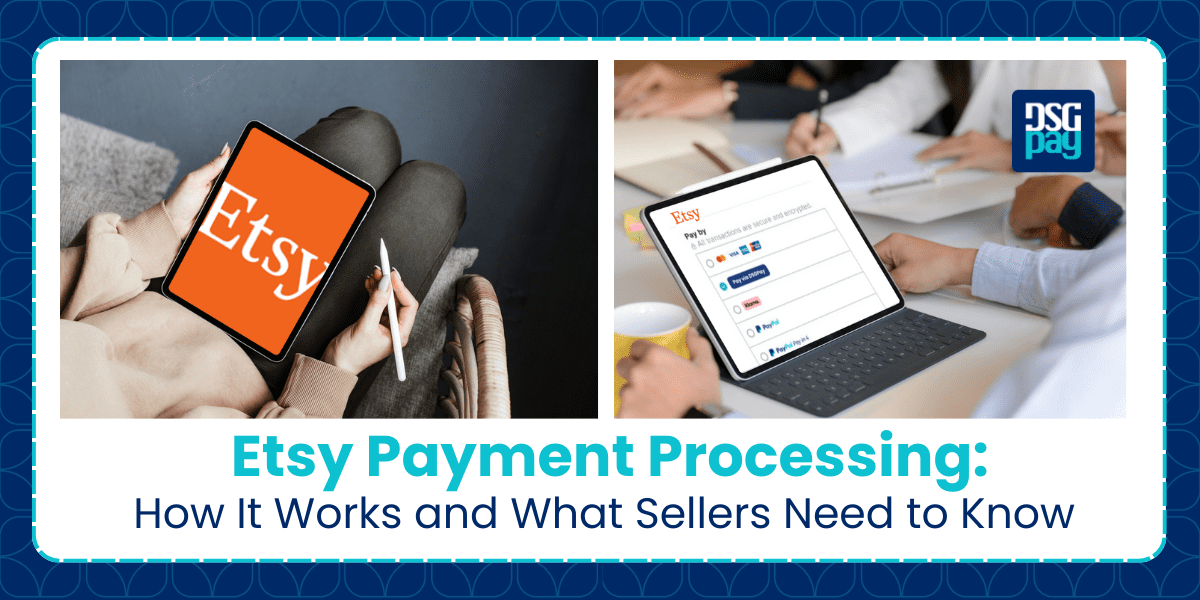
Etsy payment processing is a system that handles payment transactions between a seller and a buyer. If you’re a seller, you can use Etsy to facilitate payment transactions across multiple methods.
However, Etsy payment processing can be difficult to understand due to the varying number of regulations and policies.
In this guide, we’ll walk you through how payment processing works, available methods, associated costs, and more. We’ll also throw in a few tips to help you leverage the site and drive more sales to your business.
Let’s get right into it!
Key Takeaways
- Etsy is a major platform that facilitates transactions between buyers and sellers.
- Etsy provides a robust payment processing system that supports multiple payment methods, including credit/debit cards, PayPal, Apple Pay, Klarna, and more.
- Sellers must complete several setup steps before getting paid, including opening a shop, adding payment and billing information, and listing products.
- Etsy charges fixed-based and percentage fees on several payment processing, such as currency conversion fees, shipping fees, and more.
- You can withdraw money from your Etsy account to other foreign-based accounts without hassle.
What is Etsy Payment Processing?
In simple terms, Etsy Payment Processing refers to the system that handles payment transactions between sellers and buyers. The system ensures that the payments are secured, properly facilitated, and efficiently processed to the right recipient (seller).
In other words, the system is responsible for collecting money from your customers and paying you as a seller. It connects to multiple payment systems in a third-party capacity.
However, many sellers often get messages about a ‘payment processing error’. In this case, Etsy uses this as a medium to evaluate the authenticity of the buyers’ purchase. This is to avoid stolen cards or illegal payments, or it can even be a system error.
How Etsy Payment Processing Works
As a seller, it’s important to understand how Etsy processes payments so you can manage your earnings efficiently. Let’s walk through how your funds move from buyer to payout.
- Step1: A Customer Purchases an Item
- When a buyer adds to a cart and proceeds to checkout, they are urged to select a payment method through Etsy Payments. They can choose between credit cards, PayPal, Etsy Gift Cards, or other payment methods.
- Step2: Etsy Processes the Payment
- Once the buyer makes the payment, Etsy will verify the transaction. This may take a few seconds if no discrepancies are found. If there is an issue, it may take up to 72 hours.
- Step3: Funds Appear in Your Etsy Account
- Once the payment is verified, the money will be added to your account. This may not be immediate, as it depends on the payout schedule and your account status. It’s best to ensure that there are no payment account reserves on your account.
- Step4: You Receive a Payout
- Once all necessary requirements have been checked, you will be allowed to withdraw your funds based on the selected payout schedule. This could be daily, weekly, biweekly, or monthly; it’s really up to you. Once released, you can choose to withdraw your funds to your local bank account or an alternative payout provider.
However, keep in mind that if you’re new to Etsy, your first payment will be held for 14 – 20 business days. This is to guarantee the quality of your merchandise.
How Do Sellers Get Paid on Etsy?
If you’re new to the site, here’s the first thing you need to do before you start making money on Etsy:
1. Open Your Etsy Shop
To get paid on Etsy, you need to first open a shop on the platform. To do this, you must visit the website, click on Sell on Etsy > Open your Etsy Shop.
2. Submit Your Required Information
Once you’ve opened a store on Etsy, you’ll be required to fill in the required prompts. Keep in mind that you must choose your store’s language, country, preferred currency, and shop name. The language you choose will be the default language of your entire store, and when choosing your preferred currency, keep in mind that if your customer sends a different currency, you’ll have to pay a conversion fee.
3. Add Your Payment Methods to Get Paid
To get paid on Etsy, you’ll need to set up your Etsy Payment Processing. This includes connecting your bank account to your Etsy shop and also adding a debit or credit card to your account to pay your bills from Etsy. The process of connecting your bank account may vary depending on your location.
Here are the available methods based on region:
- Sellers with US bank accounts: You can link your US bank account through Plaid. Plaid helps verify your bank details to ensure your deposits are processed correctly.
- Sellers in Australia: You must have a residential address with your Australian bank.
- Sellers in Select countries: You can link your account through a Payoneer Payment Account.
4. Add Your Product Listing
Once you’ve dealt with all of that, you’ll be urged to list your product. To add a product listing, go to Shop Manager > Your shop > Add a Listing.
There are a number of things you can sell on Etsy, from home items and accessories, jewellery, clothing, toys and entertainment, art collections and collectables, craft supplies and tools, vintage, and more.
5. Start Selling on Etsy
Congratulations! Your shop is set up and you’re now ready to get paid on Etsy.
Payout Methods Available for Etsy Sellers
Bank Transfer (ACH or SEPA):
Etsy transfers funds directly to the seller’s bank account. In the U.S., this is typically done via ACH; in Europe, via SEPA. It’s the default method for most countries.
Payoneer:
For sellers in countries where Etsy’s direct deposit service isn’t supported, Payoneer is a common workaround. Sellers link a U.S.-based receiving account from Payoneer to accept Etsy payouts, then transfer funds to their local bank.
Wise (formerly TransferWise):
In some cases, sellers use Wise’s virtual U.S. account to receive Etsy payments, though this setup is unofficial and not always reliable for ACH.
Checks (limited regions):
In countries where electronic transfers are not available, Etsy may offer paper check payouts, though this is becoming rare due to processing delays and fees.
Etsy Payment Processing Fees
As a seller on Etsy, you’re expected to pay the following fees:
What Payment Processing Methods Can a Seller Offer?
With Etsy Payments, some sellers accept only some payment methods, and buyers can choose from many convenient payment options. The following are the available payment methods most sellers on Etsy offer:
- Credit & Debit Cards: You can accept payments through most major credit issuers, including Visa, Mastercard/Eurocard, American Express, JCB, and Discover on Etsy.
- PayPal: This payment method is only available in some selected regions. Here, you can either use the Integrated PayPal or the Standalone PayPal services. The Standalone is an alternative to the Integrated services for users who don’t have Etsy payments in their countries.
- Apple Pay & Google Pay: These payment methods are available to buyers who are shopping on mobile apps or desktops.
- Etsy Gift Cards & Etsy Credits: Etsy Gift Cards are issued as a reward from Etsy, while store credits are issued as a result of a refund or partial refund. However, both methods can be used to complete purchases on Etsy. It’s important to note that these methods are not redeemable as cash. They can only be used on Etsy, and can only be used if the sellers accept them.
- Klarna Instalments: With Klarna, buyers from the US, UK, Australia, and Spain can pay for their purchases on Etsy in instalments. They are allowed to decide how long they wish to spread out their interest-free payments. Each payment will be automatically processed by Klarna until the entire amount is paid.
- iDEAL Bank Transfers: Buyers can pay with a bank transfer via iDEAL in the Netherlands or Sofort in Germany and Austria.
The buyer can use these payment methods, and your sales funds will be made available in your Etsy Payment account.
Common Issues with Etsy Payment Processing & How to Resolve Them
You might encounter the following issues when operating your business on Etsy’s system. We’ve listed some of the common challenges and how to resolve them.
- Delayed Payout: In some cases, there may be a delay in receiving the withdrawn funds in your account. If this happens, check your payout schedule and ensure your banking details are correct.
- Payment Holds: If you’re new to Etsy, you might experience holds for fraud prevention, authenticity, credit card validation, etc. This can be caused by your order fulfilment history, shipping times, customer reviews, and more. However, the hold period may vary, for up to 90 days.
- Failed Transactions: If a payment transaction fails, it could be due to a declined error from the buyer’s bank. The buyer should confirm card details and ensure that their credit cards allow international payment transactions.
FAQs: Etsy Payment Processing
Q: How do I change my Etsy payout method?
You can update your payout settings in the Etsy Shop Manager under Finances > Payment Settings.
Q: How do I receive my Etsy Payments deposit?
To receive your deposit, you must have available funds in your Etsy Payment account. The amount must meet the minimum deposit threshold set for your location before it can be transferred to your bank account.
Q: How long does it take to receive money from Etsy?
Etsy payments are processed based on the seller’s payout schedule. For new sellers, funds are held for 14 to 20 business days before the first payout.
Q: Can I use PayPal to receive Etsy payments?
Yes, you can use PayPal to receive payments on Etsy. However, it is only available in selected regions.
Q: Does Etsy charge extra for currency conversion?
Yes, Etsy payment processing applies a 2.5% currency conversion fee if your listing currency is different from your bank’s currency.
Why You Should Use DSGPay for Etsy Payouts (If You’re a Non-U.S. Seller)
DSGPay virtual account is ideal for new Etsy sellers who want a reliable, transparent, and cost-effective way to get paid, especially if you’re outside the U.S. and looking for an alternative to Payoneer.
- You make regular payouts over $100: DSGPay is ideal for mid- to high-volume sellers. With just a 0.60% FX markup and no hidden bank fees, it offers more predictable and cost-effective payouts than Payoneer.
- You prefer withdrawing in larger, less frequent amounts: For sellers who consolidate their earnings, DSGPay charges only 0.02% for payouts over $249.99, making it highly cost-efficient for bulk withdrawals.
- You frequently withdraw to a Thai or other local bank account: DSGPay enables same-day transfers with real-time FX preview and no ฿100–110 receiving bank deduction, a common issue with Payoneer.
- If you want to maximise your margins and reduce unexpected fees, DSGPay will display the exact local currency amount before you confirm the transfer. This level of clarity allows margin-focused sellers to avoid surprises and retain more earnings.
- You’re frustrated with hidden or unclear Payoneer deductions: If you’ve experienced lower-than-expected payouts due to conversion spreads or local bank charges, DSGPay offers a more transparent alternative with no annual maintenance fees or small payout penalties.
How to Link DSGPay with Your Etsy Account to Receive Payment
By linking your DSGPay Virtual Account to Etsy, you’ll get:
DSGPay provides a simple, effective alternative for receiving your Etsy payouts. Whether you’re selling locally or internationally, you can connect your Etsy account with DSGPay’s virtual account and start receiving payouts in USD without needing a U.S. bank account.
- Access to Etsy Payments like a U.S. account holder.
- Seamless currency conversion to over 30 currencies.
- The ability to hold, send, or convert USD within your DSGPay account.
- Favourable exchange rates.
- Minimal transaction fees when withdrawing to your local bank account.
Final Thoughts on Etsy Payment Processing
Etsy offers various payment processing options, allowing sellers to receive funds conveniently from buyers worldwide. With support for multiple payment methods, the platform is designed to accommodate sellers in different regions and business stages.
Understanding the transaction process, associated fees, and payout schedules can help you manage your business better and save on unnecessary expenses. By setting up your shop properly and staying informed about how payments work, you’ll be better equipped to run a smooth, profitable Etsy business.
Start getting paid globally with ease. Create your DSGPay virtual account today.